

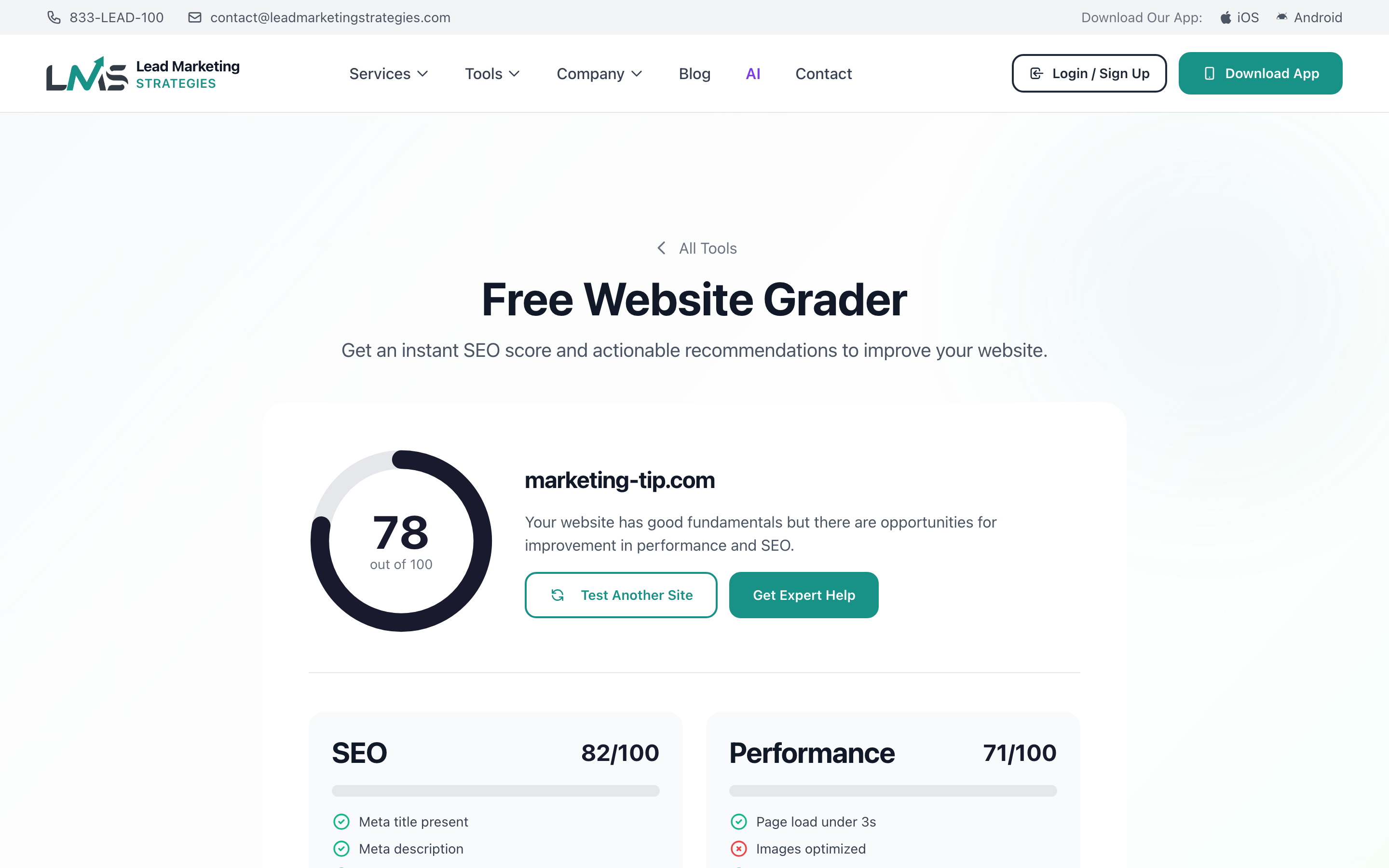
Your Website Grader score is calculated based on multiple factors that affect your website’s performance, visibility, and user experience. Understanding what each score means and how to improve it will help you create a better website that ranks higher in search results and converts more visitors into customers.
The Scoring System
The Website Grader uses a 100-point scale, converted to a letter grade for easy understanding:
- A (90-100 points) – Excellent performance across all areas
- B (80-89 points) – Good performance with room for optimization
- C (70-79 points) – Average; noticeable issues affecting performance
- D (60-69 points) – Below average; significant problems present
- F (Below 60 points) – Poor; critical issues need immediate attention
Score Categories Explained
Performance Score (25% of total)
This measures how fast your website loads and responds to user interactions. Key factors include:
- Page load time – Under 3 seconds is good; under 2 seconds is excellent
- First Contentful Paint (FCP) – When the first content appears
- Largest Contentful Paint (LCP) – When the main content loads
- Time to Interactive (TTI) – When the page becomes fully usable
- Cumulative Layout Shift (CLS) – Visual stability during loading
Studies show that 53% of mobile users abandon sites that take longer than 3 seconds to load. Every second of delay can reduce conversions by up to 7%.
SEO Score (25% of total)
This evaluates how well-optimized your site is for search engines. Factors analyzed:
- Title tags – Unique, descriptive titles on each page (50-60 characters)
- Meta descriptions – Compelling summaries for search results (150-160 characters)
- Heading hierarchy – Proper use of H1 (one per page), H2, H3 tags
- Image alt text – Descriptive text for all images
- URL structure – Clean, readable URLs with keywords
- Internal linking – Links between pages on your site
- Sitemap – XML sitemap for search engines
- Robots.txt – Proper crawler instructions
Security Score (25% of total)
This checks how secure your website is for visitors. Key elements:
- SSL/HTTPS – Encrypted connection (required for trust and SEO)
- Security headers – Protection against XSS, clickjacking, etc.
- Mixed content – No insecure resources on secure pages
- Outdated software – Detectable vulnerable versions
Google marks non-HTTPS sites as “Not Secure” in Chrome, which can scare away visitors. SSL certificates are often free through your hosting provider.
Mobile Score (25% of total)
This measures how well your site works on phones and tablets:
- Responsive design – Layout adapts to screen size
- Touch-friendly – Buttons and links are easy to tap
- Readable text – Font size appropriate for mobile
- No horizontal scrolling – Content fits the screen width
- Mobile page speed – Fast loading on cellular connections
How to Improve Your Score
Quick Wins (Immediate Impact)
If you don’t have HTTPS, this is your top priority. Most hosting providers offer free SSL through Let’s Encrypt. This alone can boost your security score significantly.
Write unique title tags and meta descriptions for your most important pages. This improves both SEO and click-through rates from search results.
Large images are often the biggest cause of slow loading. Use tools like TinyPNG or Squoosh to reduce file sizes without visible quality loss.
Go through your site and add descriptive alt text to all images. This helps with SEO and accessibility.
Medium-Term Improvements
- Enable browser caching – Set appropriate cache headers for static resources
- Minify CSS and JavaScript – Remove unnecessary characters from code files
- Implement lazy loading – Load images only as they enter the viewport
- Review heading structure – Ensure proper H1, H2, H3 hierarchy
- Create a sitemap – Submit to Google Search Console
Advanced Optimizations
- Use a CDN – Serve content from servers closer to your visitors
- Optimize server response time – Upgrade hosting if needed
- Implement critical CSS – Inline above-the-fold styles
- Add security headers – Configure HSTS, CSP, X-Frame-Options
- Consider AMP – Accelerated Mobile Pages for content-heavy sites
Score Benchmarks by Industry
Different industries have different typical scores. Here’s what to aim for:
- E-commerce – Aim for 85+ (performance is critical for sales)
- Local business – Aim for 75+ (focus on mobile and local SEO)
- Corporate – Aim for 80+ (balance security and professionalism)
- Blog/Content – Aim for 80+ (SEO is essential)
- Portfolio – Aim for 75+ (visuals matter, but don’t sacrifice speed)
Run the Website Grader on your top competitors to see their scores. This gives you a realistic benchmark and may reveal opportunities where you can outperform them.
Tracking Score Improvements
To effectively improve your score over time:
- Save your baseline – Screenshot or note your initial scores
- Make one change at a time – This helps identify what worked
- Retest after each change – Verify the improvement
- Schedule monthly checks – Catch any regressions quickly
- Document your progress – Track what changes had the biggest impact
When to Get Professional Help
Consider professional assistance if:
- Your score is below 60 and you’re not sure where to start
- You’ve made changes but scores aren’t improving
- Technical improvements are beyond your expertise
- You need faster results for a business launch or campaign
- Your competitors consistently outscore you
Our team specializes in website optimization and can create a custom improvement plan for your site. Start a project with Lead Marketing Strategies for professional website audit and optimization services.
