

Creating an account gives you full access to all features of the Lead Marketing Strategies app, including project management, invoices, meetings, and direct communication with our team.
Before You Start
You’ll need:
- A valid email address you can access
- A few minutes to complete the registration
If you’ve already created an account on the Client Portal website (app.leadmarketingstrategies.com), you can use those same credentials to log into the mobile app. No need to create a new account!
Sign Up Steps
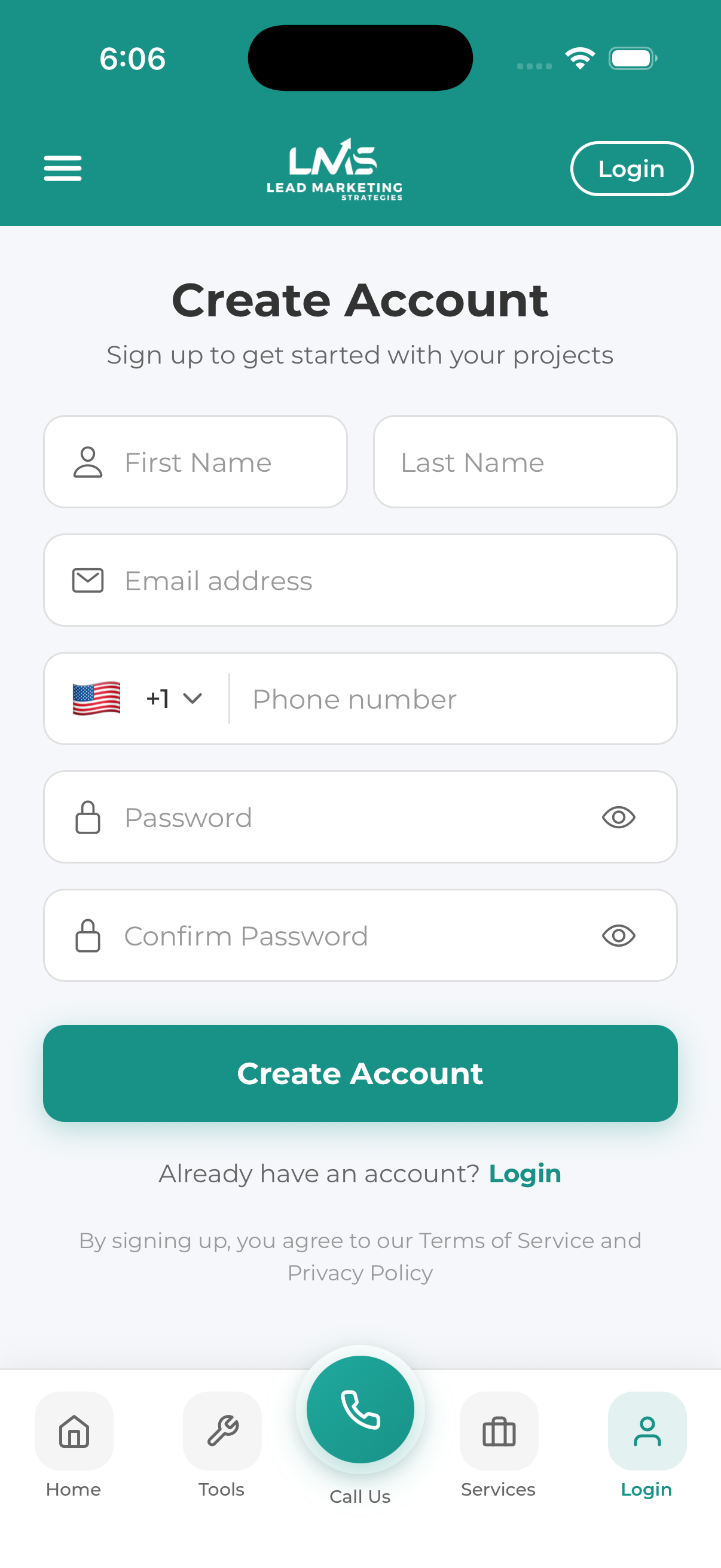
Launch the Lead Marketing Strategies app on your device. You’ll see the welcome screen with login and signup options.
Look for the Sign Up button, usually below the Login option. Tap it to open the registration form.
Type your first and last name as you’d like it to appear on your account. This is how our team will address you.
Provide a valid email address. This will be:
- Your username for logging in
- Where we send important notifications
- How we verify your account
Make sure to enter it correctly – you’ll need access to this email to verify your account.
Choose a strong, secure password. Your password must:
- Be at least 8 characters long
- Include at least one uppercase letter (A-Z)
- Include at least one lowercase letter (a-z)
- Include at least one number (0-9)
Re-enter your password to confirm it. Make sure both entries match exactly.
Adding your phone number helps us:
- Reach you about urgent project matters
- Provide an additional account recovery option
- Send SMS notifications (if you opt in)
Review and accept the Terms of Service and Privacy Policy by checking the box. Then tap the Create Account or Sign Up button.
Check your email inbox for a verification message from Lead Marketing Strategies. Open it and tap the verification link. This confirms your email address is valid and activates your account.
Return to the app and log in with your new email and password. You’re now ready to use all features!
Password Best Practices
- Use a unique password – Don’t reuse passwords from other websites
- Make it memorable but complex – Consider using a passphrase like “MyDog$Runs2Fast!”
- Use a password manager – Apps like 1Password, LastPass, or your browser’s built-in manager can generate and store strong passwords
- Never share your password – Our team will never ask for your password
Verification Email Not Arriving?
If you don’t receive the verification email within a few minutes:
- Check your spam/junk folder – Email filters sometimes catch legitimate emails
- Check your promotions or updates tab – Gmail and other providers may sort it there
- Verify the email address – Make sure you entered it correctly
- Wait a few minutes – Sometimes email delivery can be delayed
- Request a new verification email – There’s usually a “Resend” option
- Check with your email provider – Some corporate email systems block certain senders
Add noreply@leadmarketingstrategies.com to your email contacts to ensure our messages always reach your inbox.
Common Sign Up Issues
“Email already in use”
This means an account already exists with that email. Try:
- Logging in instead of signing up
- Using the “Forgot Password” feature if you don’t remember your password
- Using a different email address if you want a separate account
“Password doesn’t meet requirements”
Make sure your password:
- Is at least 8 characters
- Has uppercase AND lowercase letters
- Includes at least one number
- Matches in both password fields
“Invalid email format”
Check that your email:
- Has an @ symbol
- Has a valid domain (like gmail.com, yahoo.com, etc.)
- Doesn’t have extra spaces before or after
What’s Next?
After creating your account, you can:
- Set up push notifications to stay informed
- Complete your profile with additional information
- Start your first project with us
- Explore our free tools to analyze your marketing
- Book a consultation with our team
