

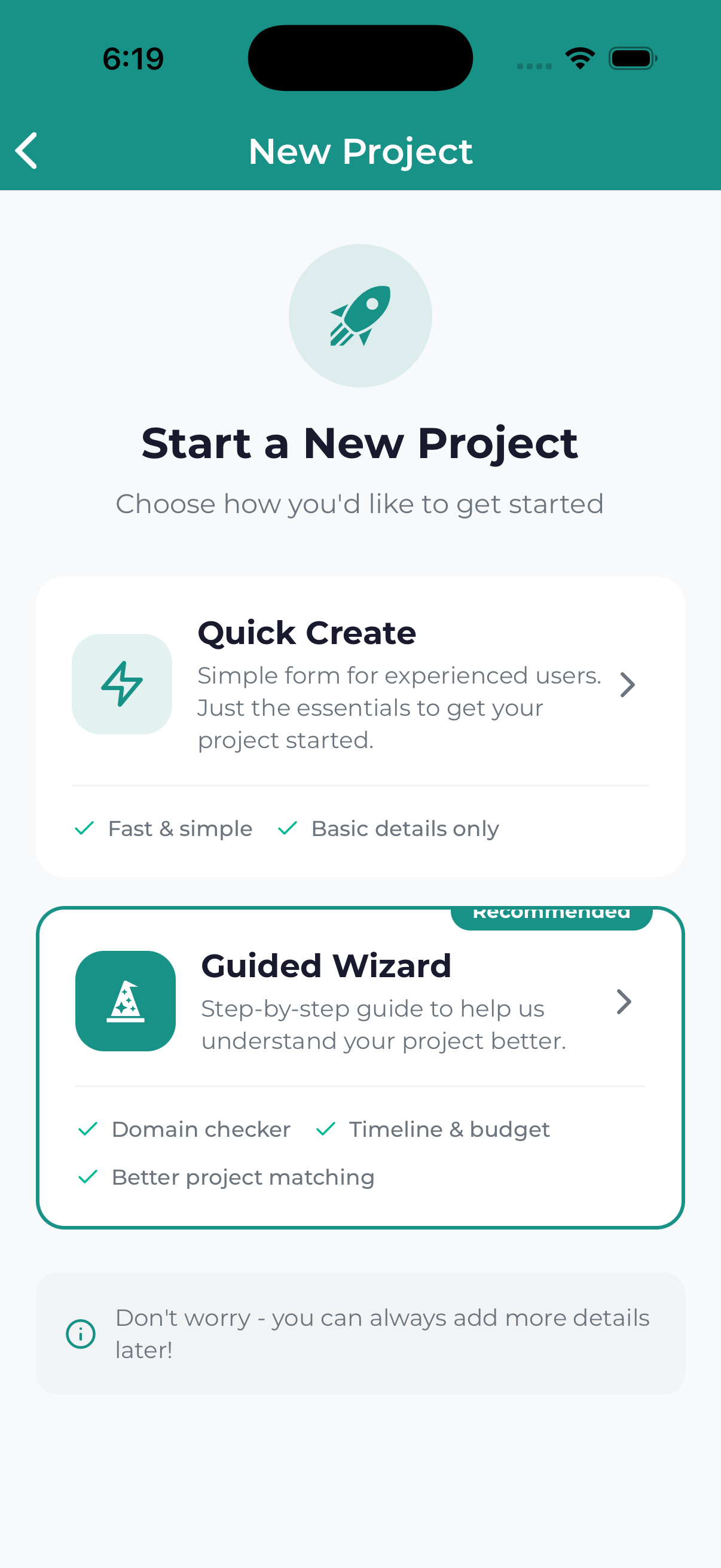
Ready to start a new marketing project? The Lead Marketing Strategies app makes it easy to submit a project request. This guide walks you through the process from start to finish.
Before You Start
Before beginning your project request, it helps to have:
- A clear idea of what you need – What type of service are you looking for?
- Your goals – What do you want to achieve?
- Timeline expectations – When do you need this completed?
- Budget range – What investment are you considering?
- Reference materials – Examples, brand guidelines, or inspiration
Don’t worry if you don’t have all the answers – our team will work with you to refine the details after you submit your request.
Starting a New Project
There are several ways to begin:
From the Dashboard
- Open the app and go to your Dashboard (Home screen)
- Tap the Start New Project button
From the Projects Screen
- Navigate to the Projects tab
- Tap the + (plus) button or New Project
From the Navigation Menu
- Open the side navigation drawer
- Tap Start Project or New Project
The Project Wizard
The project wizard guides you through several steps:
Step 1: Choose a Service
Select the type of service you need:
- Website Design & Development – New websites, redesigns, landing pages
- Search Engine Optimization (SEO) – Improve your search rankings
- Pay-Per-Click Advertising (PPC) – Google Ads, social media ads
- Social Media Marketing – Content creation, management, strategy
- Content Marketing – Blog posts, articles, copywriting
- Branding & Design – Logos, brand identity, graphics
- Email Marketing – Campaigns, automation, newsletters
- Other – Don’t see what you need? Select this option
Tap a service to select it and continue to the next step.
Step 2: Describe Your Project
Tell us about what you need:
- Project Title – Give your project a name (e.g., “Company Website Redesign”)
- Description – Describe what you want to accomplish in detail
- Goals – What specific outcomes are you hoping for?
- Target Audience – Who are you trying to reach?
The more information you provide, the better we can understand your needs and provide an accurate proposal. Don’t worry about being too detailed!
Step 3: Timeline & Budget
Help us understand your constraints:
- Timeline – When do you need this completed?
- ASAP (Rush)
- Within 2-4 weeks
- Within 1-2 months
- Within 3-6 months
- Flexible / No rush
- Budget Range – What investment are you considering?
- Under $1,000
- $1,000 – $5,000
- $5,000 – $10,000
- $10,000 – $25,000
- $25,000+
- Not sure / Need guidance
Step 4: Additional Information
Provide any extra details:
- Reference Examples – Websites or projects you like
- Competitors – Who are your main competitors?
- Special Requirements – Any specific needs or constraints
- Attachments – Upload brand guidelines, logos, or reference files
Step 5: Review & Submit
Before submitting, review everything:
- Check that all information is correct
- Make any necessary edits by tapping the edit icons
- Read and accept the terms
- Tap Submit Project Request
After Submitting
Once you submit your project request:
- Confirmation – You’ll see a success message and receive an email confirmation
- Review Period – Our team reviews your request (typically 24-48 business hours)
- Follow-up – We’ll reach out via project chat or email with questions or a proposal
- Kickoff – Once approved, your project moves to “In Progress”
Saving as Draft
Not ready to submit? You can save your progress:
- Your answers are automatically saved as you go
- Look for a Save Draft option if you need to exit
- Return to the draft anytime from your Projects list
- Draft projects show with a “Draft” status badge
Tips for a Great Project Request
- Be specific about outcomes – “Increase website traffic by 50%” is better than “improve marketing”
- Share examples – Reference sites or projects you admire
- Mention constraints – Budget limits, brand guidelines, technical requirements
- Include stakeholders – Let us know who needs to approve the work
- Ask questions – If you’re unsure about something, just ask in the description
If you’re not sure what service you need or have questions before starting, book a free consultation meeting. We’ll help you figure out the best approach for your goals.
