

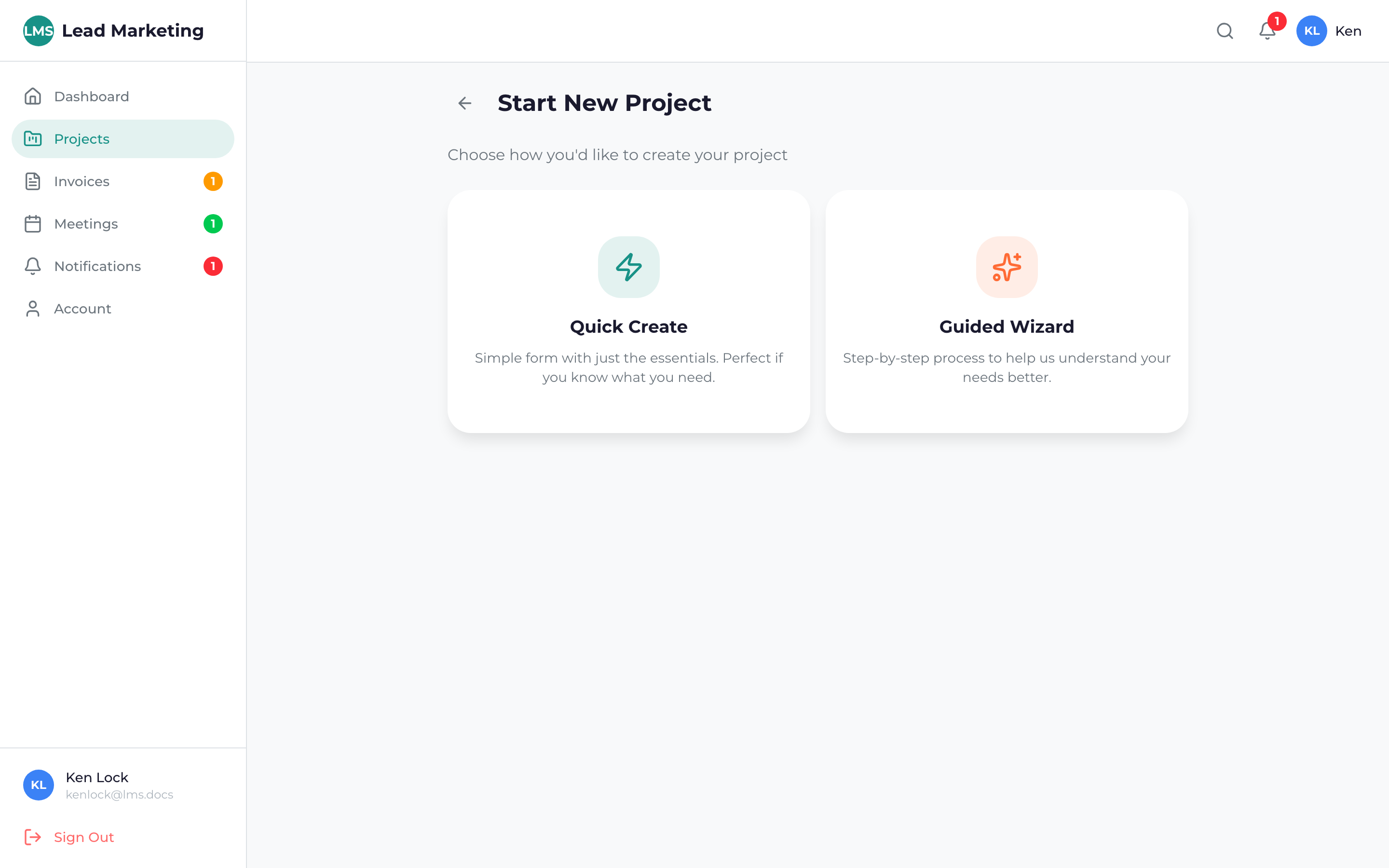
Starting a new marketing project through the Client Portal is straightforward. Our project wizard guides you through the process, ensuring we have all the information needed to deliver great results.
Before You Start
To get the most out of your project consultation, have the following ready:
- A clear idea of your marketing goals
- Your target audience or customer profile
- Your approximate budget range
- Your desired timeline
- Any existing brand assets (logo, colors, existing website)
- Competitor examples or inspiration
Don’t worry if you’re not sure exactly what services you need. Our team will help you determine the best approach during the consultation. Just start the project request and we’ll guide you!
Starting the Project Wizard
Log into the Client Portal and click “Projects” in the sidebar, or go to your Dashboard.
Click the “New Project”, “Start Project”, or “+” button. You’ll find this in the top right corner of the Projects page or as a quick action on your dashboard.
Choose the type of marketing service you’re interested in. Options may include:
- Website Design & Development
- Search Engine Optimization (SEO)
- Pay-Per-Click Advertising (PPC)
- Social Media Marketing
- Content Marketing
- Branding & Identity
- Other/Not Sure
Provide details about what you’re looking to accomplish. The more information you share, the better we can prepare for your consultation.
Indicate your budget range and when you’d like to launch. These are estimates – we’ll discuss specifics during the consultation.
Review your information and click “Submit” or “Request Consultation”. Our team will receive your request immediately.
What Happens Next
After you submit your project request:
- Confirmation: You’ll receive an email confirming your request was received
- Review: Our team reviews your requirements (usually within 1 business day)
- Contact: A team member will reach out to schedule a consultation
- Consultation: We’ll discuss your project in detail and answer any questions
- Proposal: You’ll receive a detailed proposal with scope, timeline, and pricing
- Approval: Once you approve, your project officially begins!
We typically respond to new project requests within 24 business hours. For urgent requests, call us directly at (631) 489-5088.
Project Types We Handle
Website Projects
- New website design and development
- Website redesign and updates
- E-commerce stores
- Landing pages
- WordPress development
SEO Projects
- Local SEO
- National/global SEO
- E-commerce SEO
- SEO audits
- Content optimization
Advertising Projects
- Google Ads campaigns
- Social media advertising
- Retargeting campaigns
- Display advertising
Branding Projects
- Logo design
- Brand identity
- Brand guidelines
- Marketing collateral
Tips for a Successful Project Start
- Be specific: The more details you provide, the better we can help
- Share examples: Links to competitors or inspiration help us understand your vision
- Be realistic: Set achievable timelines based on your budget
- Communicate: Let us know about any constraints or requirements
- Respond promptly: Quick responses keep your project on track
Need Help Getting Started?
If you have questions before starting a project:
- Schedule a Call: Book a free consultation through the portal
- Email: support@leadmarketingstrategies.com
- Phone: (631) 489-5088
- Contact Form: Contact Us
