

Having trouble logging into the Client Portal? This guide covers common login issues and how to resolve them quickly.
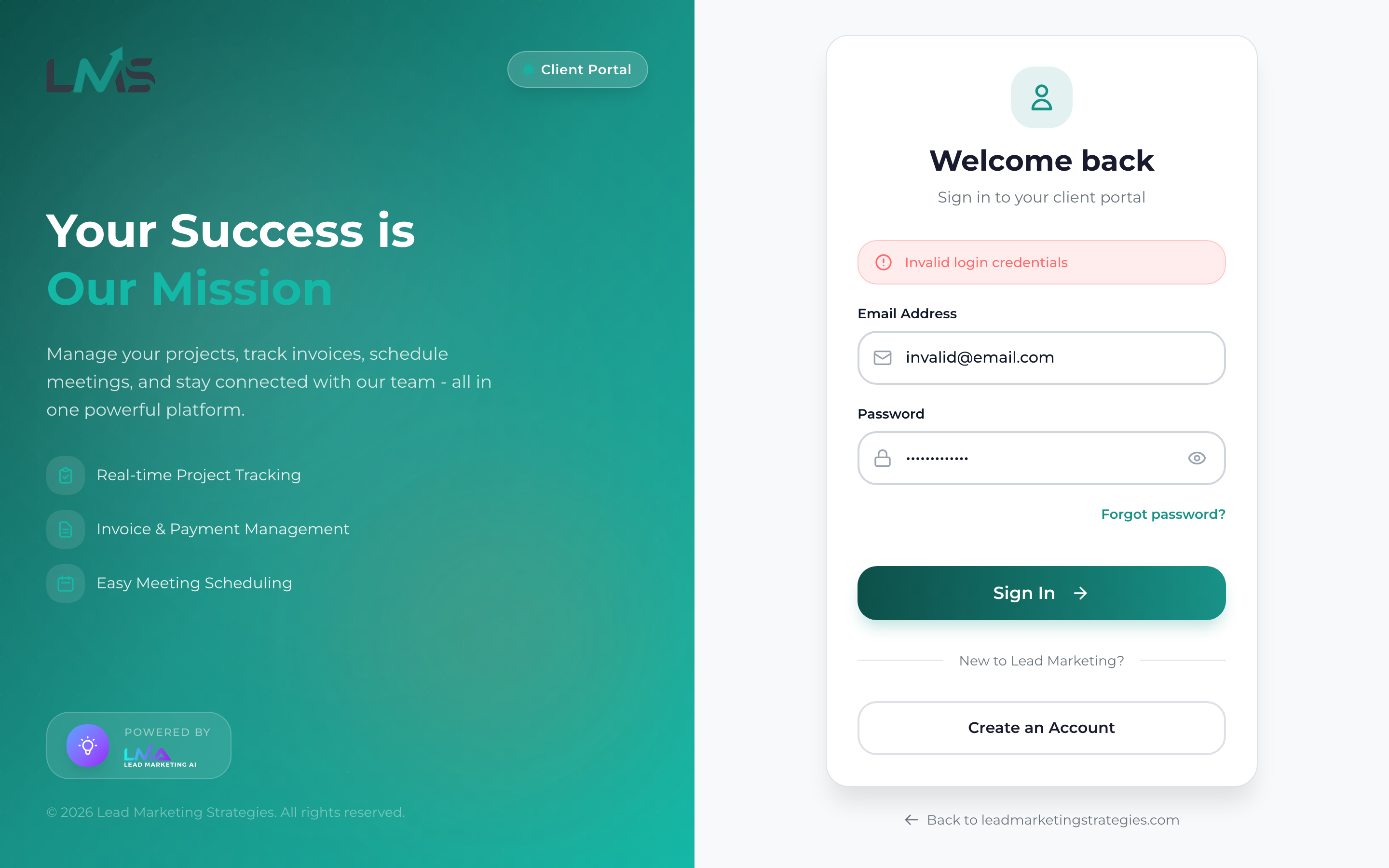
Common Login Problems
“Invalid Email or Password”
This is the most common error. Try these solutions:
Make sure you are using the exact email address you registered with. Watch for typos like “gmial” instead of “gmail”.
Passwords are case-sensitive. Make sure Caps Lock is off when typing your password.
Retype your password slowly, making sure each character is correct.
If you are not sure of your password, use “Forgot Password?” to reset it.
“Account Not Found”
This means no account exists with that email address:
- Try other email addresses you may have used
- Check if someone else in your organization created the account
- Create a new account if you have never registered
“Account Not Verified”
You need to verify your email before you can log in:
- Check your email inbox for the verification link
- Check spam/junk folders
- Click “Resend Verification Email” if you cannot find it
“Account Locked”
Too many failed login attempts will temporarily lock your account:
- Wait 15-30 minutes and try again
- Use the correct password to prevent future lockouts
- Contact support if you are locked out and cannot wait
Account lockouts protect your account from unauthorized access attempts. If you did not make the failed login attempts, contact us immediately as someone may be trying to access your account.
Browser-Related Issues
Page Not Loading
- Check your internet connection
- Try refreshing the page (Ctrl+R or Cmd+R)
- Clear your browser cache
- Try a different browser
Stuck on Login Page
- Clear browser cookies for the site
- Disable browser extensions temporarily
- Try incognito/private mode
Quick Fixes to Try
- Refresh the page – Sometimes a simple refresh resolves issues
- Clear browser cache – Remove old data that may cause conflicts
- Try a different browser – Rule out browser-specific issues
- Check for maintenance – We may be performing scheduled updates
- Reset your password – If password issues persist, reset it
Before contacting support, try logging in using incognito/private mode. If it works there, the issue is likely with your browser settings or extensions.
Still Cannot Log In?
If none of the above solutions work, contact our support team:
- Email: support@leadmarketingstrategies.com
- Phone: (631) 489-5088
- Contact Form: Contact Us
Please include:
- The email address you are trying to use
- The exact error message you see
- What browser you are using
- Any steps you have already tried
