

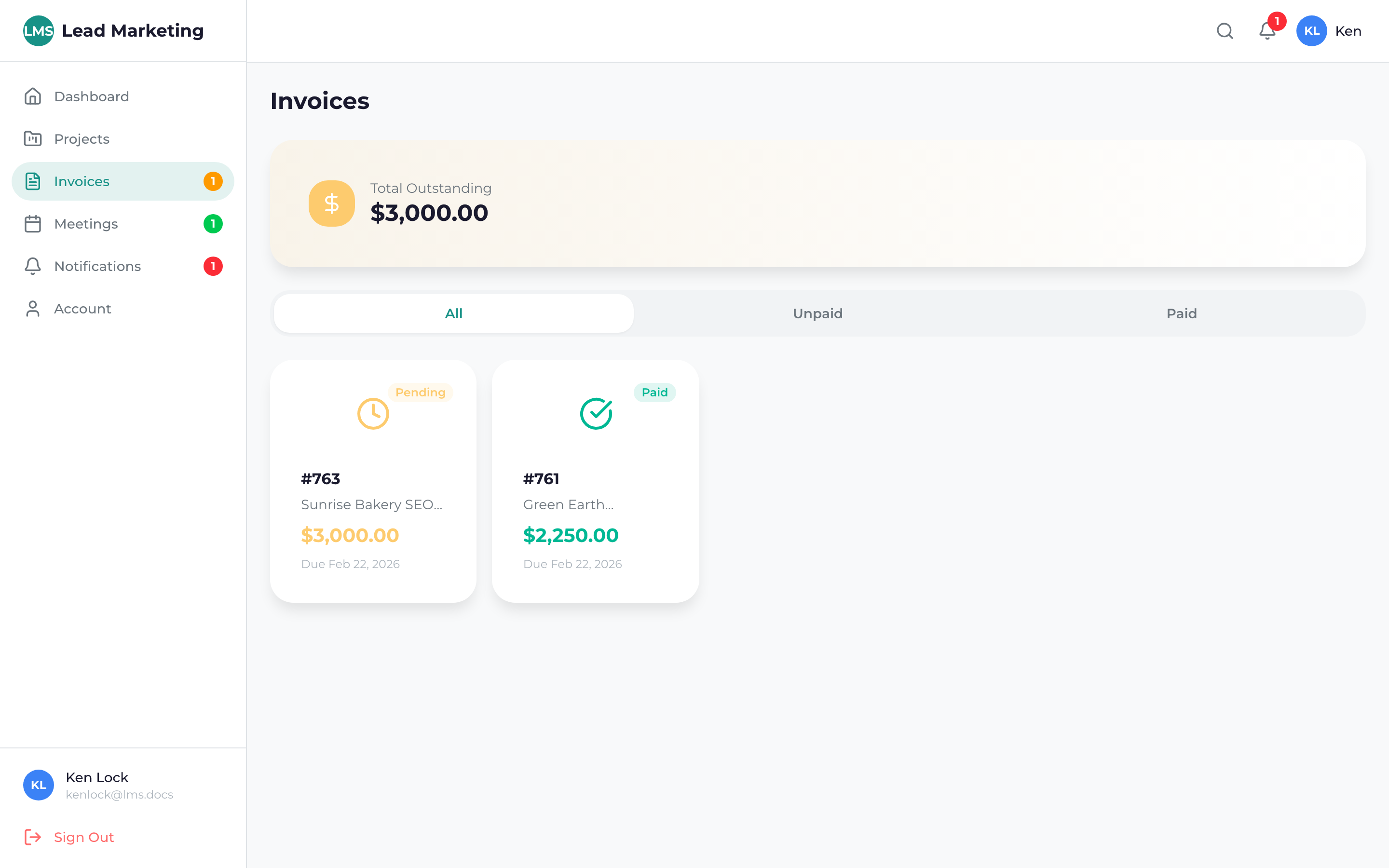
The Invoices section of your Client Portal provides a complete view of all your billing with Lead Marketing Strategies. View current invoices, track payment status, access payment history, and pay invoices online – all in one convenient location.
Accessing Your Invoices
Click “Invoices” in the left sidebar navigation menu to view all your invoices.
You’ll see a list of all invoices, sorted by date with the most recent first.
Invoice List Overview
Each invoice in the list displays:
- Invoice Number: Unique identifier (e.g., INV-2024-0123)
- Date Issued: When the invoice was created
- Due Date: Payment deadline
- Amount: Total amount due
- Status: Payment status indicator
- Actions: View, download, or pay buttons
Understanding Invoice Status
Invoice statuses help you quickly identify what needs attention:
- Draft – Invoice is being prepared, not yet finalized
- Sent – Invoice has been issued and is awaiting payment
- Due Soon – Payment due within the next 7 days
- Overdue – Payment is past the due date
- Paid – Payment has been received
- Partially Paid – Partial payment received, balance remaining
- Cancelled – Invoice has been voided
Overdue invoices may result in late fees or service interruption. Enable email notifications to receive reminders before invoices are due.
Filtering Invoices
Find specific invoices quickly using filters:
By Status
- All Invoices
- Unpaid / Outstanding
- Paid
- Overdue
By Date Range
- Last 30 days
- Last 90 days
- This year
- Custom date range
Search
Search by invoice number, amount, or project name to find specific invoices.
Quick Actions
From the invoice list, you can:
- View: Click on an invoice to see full details
- Pay: Click the “Pay” button to make a payment
- Download: Download a PDF copy for your records
Look for the “Pay Now” button next to unpaid invoices for one-click access to the payment form. You can pay most invoices in under a minute!
Invoice Dashboard Summary
At the top of the Invoices page, you may see summary cards showing:
- Total Outstanding: Sum of all unpaid invoices
- Due This Month: Amount due within the current month
- Overdue: Total overdue amount (if any)
- Paid This Year: Total payments made this year
Related Guides
Learn more about managing your invoices:
- Viewing Invoice Details – Understanding line items and totals
- Making a Payment – How to pay invoices online
- Accepted Payment Methods – Cards, ACH, and other options
- Payment History – View your payment records
- Downloading Invoice PDFs – Get copies for your records
Invoice Notifications
Stay informed about your invoices:
- New Invoice: Notification when a new invoice is created
- Payment Due Reminder: Reminder before the due date
- Overdue Notice: Alert if payment becomes overdue
- Payment Confirmation: Receipt when payment is processed
Configure notification preferences in your Account Settings.
Need Help?
Questions about an invoice or billing issue?
- Email: billing@leadmarketingstrategies.com
- Phone: (631) 489-5088
- Contact Form: Contact Us
Please have your invoice number ready when contacting us about billing.
