

Schedule meetings with the Lead Marketing Strategies team directly through the Client Portal. Book consultations, project reviews, strategy sessions, and more at times that work for your schedule.
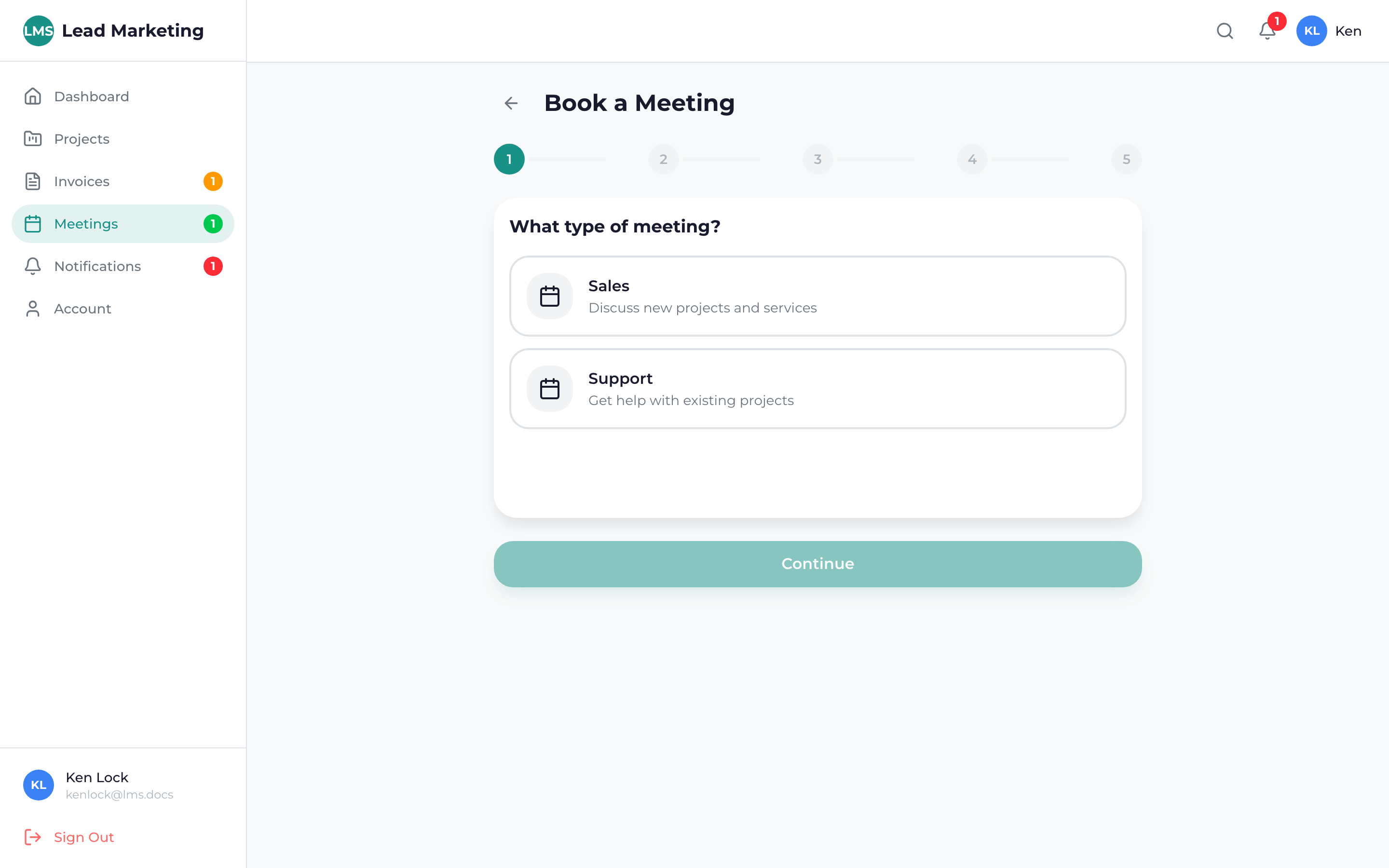
How to Book a Meeting
Click “Meetings” in the sidebar navigation, or use the “Schedule Meeting” quick action on your dashboard.
Click the “Schedule Meeting”, “Book Meeting”, or “+” button to start booking.
Choose the type of meeting you need:
- General Consultation
- Project Review
- Strategy Session
- Support Call
- Other
View the calendar and select a date that works for you. Available dates are highlighted.
Choose from available time slots. Times are shown in your local timezone.
Provide information about what you’d like to discuss. This helps us prepare for the meeting.
Review your selection and click “Confirm” or “Book Meeting” to complete the booking.
Meeting Types Available
Free Consultation (New Clients)
- 30-minute introductory call
- Discuss your marketing goals
- Learn about our services
- No obligation
Project Review
- 30-60 minutes
- Review project progress
- Discuss deliverables
- Address questions or concerns
Strategy Session
- 60 minutes
- Deep dive into marketing strategy
- Review analytics and results
- Plan next steps
Support Call
- 15-30 minutes
- Technical assistance
- Quick questions
- Issue resolution
Meeting durations vary by type. The booking system will show you the expected duration for each meeting type.
Available Times
Our team is generally available:
- Monday – Friday: 9:00 AM – 5:00 PM EST
- Saturday – Sunday: By special appointment only
Available times may vary based on team schedules. The booking system only shows currently available slots.
After Booking
Once you book a meeting:
- Confirmation: You’ll see a confirmation screen with meeting details
- Email: Confirmation email sent with calendar invite
- Calendar: Click “Add to Calendar” to save to your calendar
- Reminders: Automatic reminders 24 hours and 1 hour before
Providing Meeting Context
When booking, help us prepare by including:
- Topics you want to discuss
- Questions you have
- Relevant project or invoice numbers
- Any files or links to review beforehand
The more context you provide when booking, the more productive our meeting will be. We can prepare answers and materials in advance!
Rescheduling a Meeting
Need to change your meeting time?
- Go to Meetings and find your booked meeting
- Click “Reschedule”
- Select a new date and time
- Confirm the change
Please reschedule at least 24 hours in advance when possible.
Cancelling a Meeting
To cancel a meeting:
- Go to Meetings and find your booked meeting
- Click “Cancel”
- Confirm cancellation
- The time slot becomes available for others
Please cancel or reschedule at least 24 hours before your meeting time. Repeated last-minute cancellations may affect future booking availability.
Same-Day Meetings
Need to meet today? Same-day availability may be limited, but you can:
- Check the booking system for any open slots
- Call us directly at (631) 489-5088
- Use the project chat to request a quick call
Technical Requirements for Video Meetings
For video meetings, you’ll need:
- Computer, tablet, or smartphone
- Working camera and microphone
- Stable internet connection
- Quiet location
- Modern web browser (Chrome, Firefox, Safari, Edge)
Need Help?
Questions about booking meetings?
- Email: support@leadmarketingstrategies.com
- Phone: (631) 489-5088
- Contact Form: Contact Us
