

The Lead Marketing Strategies Client Portal is your central hub for managing projects, viewing invoices, scheduling meetings, and communicating with our team. Access it anytime from any device with an internet connection.
How to Access the Portal
Launch any modern web browser on your computer, tablet, or smartphone. We recommend Chrome, Firefox, Safari, or Edge for the best experience.
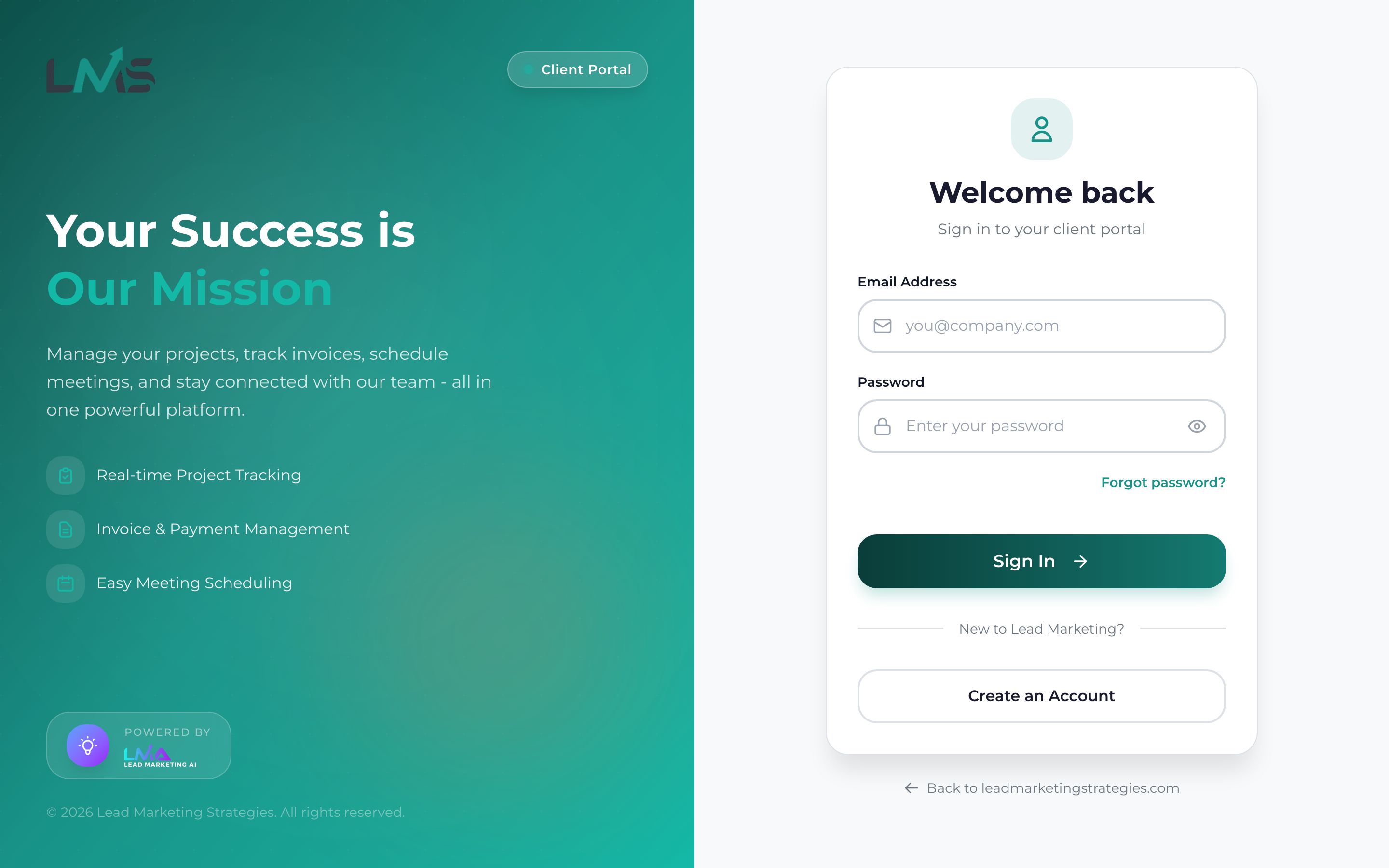
Type app.leadmarketingstrategies.com in your browser’s address bar and press Enter. You’ll be taken directly to the login page.
If you already have an account, enter your email and password to sign in. New users can click “Create Account” to register.
Quick Access Methods
Bookmark the Portal
Save time by bookmarking the portal in your browser:
- Chrome/Edge: Press Ctrl+D (Windows) or Cmd+D (Mac)
- Firefox: Press Ctrl+D (Windows) or Cmd+D (Mac)
- Safari: Press Cmd+D or click Bookmarks > Add Bookmark
Add to Home Screen (Mobile)
On your smartphone or tablet, you can add the portal to your home screen for app-like access:
iPhone/iPad (Safari):
- Navigate to app.leadmarketingstrategies.com
- Tap the Share button (square with arrow)
- Scroll down and tap “Add to Home Screen”
- Name it and tap “Add”
Android (Chrome):
- Navigate to app.leadmarketingstrategies.com
- Tap the three-dot menu
- Tap “Add to Home screen”
- Confirm by tapping “Add”
Adding the portal to your home screen creates a shortcut that opens in full-screen mode, giving you an app-like experience without downloading anything!
Access From Our Main Website
You can also access the portal from our main website:
- Visit leadmarketingstrategies.com
- Click “Client Portal” or “Login” in the navigation menu
- You’ll be redirected to the portal login page
What You Can Do in the Portal
Once logged in, you’ll have access to:
- Dashboard: Overview of your projects, invoices, and upcoming meetings
- Projects: View project details, timelines, files, and communicate with your team
- Invoices: View, download, and pay invoices online
- Meetings: Schedule and manage meetings with our team
- Notifications: Stay updated on project progress and important updates
- Account Settings: Manage your profile and preferences
If you don’t have an account yet, you’ll need to create one first. See our Creating Your Portal Account guide for step-by-step instructions.
Troubleshooting Access Issues
Page Won’t Load
- Check your internet connection
- Try refreshing the page (Ctrl+R or Cmd+R)
- Clear your browser cache and try again
- Try a different browser
Redirected to Wrong Page
- Make sure you’re typing app.leadmarketingstrategies.com (not www)
- Clear your browser history and try again
Security Warning
Our portal uses HTTPS encryption. If you see a security warning, ensure you’re at the correct URL. Never proceed if the URL looks suspicious.
Need Help?
If you’re having trouble accessing the portal:
- Email: support@leadmarketingstrategies.com
- Phone: (631) 489-5088
- Contact Form: Contact Us
